


How to create a product category in OpenCart
Login to OpenCart's Administration Panel
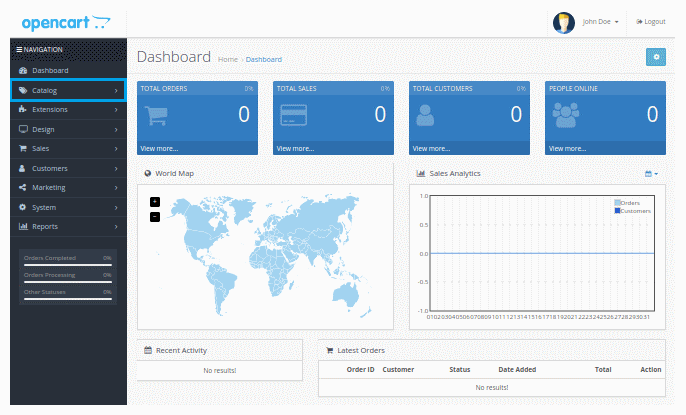
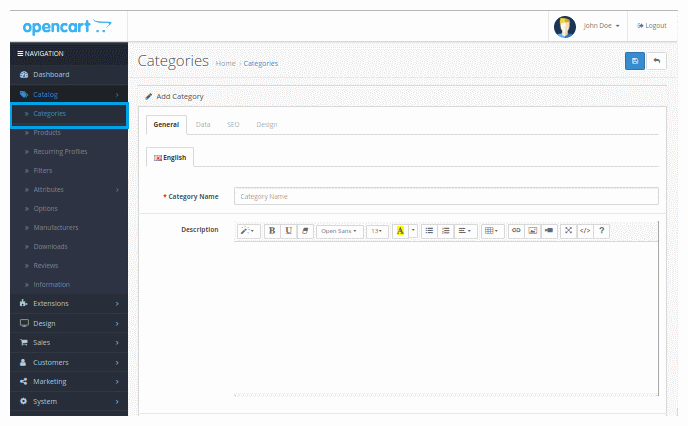
Go to the navigation menu click Catalog → Categories
Click + (Add New) (right corner) to create a new category
To the General tab fill the required fields Category Name and Meta Tag Title, with the name of the category which would be displayed in the menu bar of your site and the name that will be displayed in the browser tab.
To the Data tab click top checkbox in order that the new category will be displayed in the menu bar of your site.
Click Save and go to your site to see the result
If you want to create a subcategory follow the above step until step 4. In step 5. on Data > Parent tab type the name of the subcategory and click save.
After creating the categories you are ready to add your products to your OpenCart eshop.


